> For the complete documentation index, see [llms.txt](https://docs.cloudimage.io/llms.txt). Markdown versions of documentation pages are available by appending `.md` to page URLs; this page is available as [Markdown](https://docs.cloudimage.io/implementation/cms-plugins/wordpress-1.md).
# Wordpress
Cloudimage Wordpress Plugin
The [Cloudimage Wordpress plugin](https://wordpress.org/plugins/cloudimage/) will automatically adapt the image URLs in your Wordpress site to deliver your images rocket fast over Cloudimage. You only need to register with Cloudimage and install the plugin in your Wordpress site.
If you need to adjust the behaviour of the plugin, please see the [#od\_5e983168](#od_5e983168 "mention") settings.
## Installation
### Prerequisites
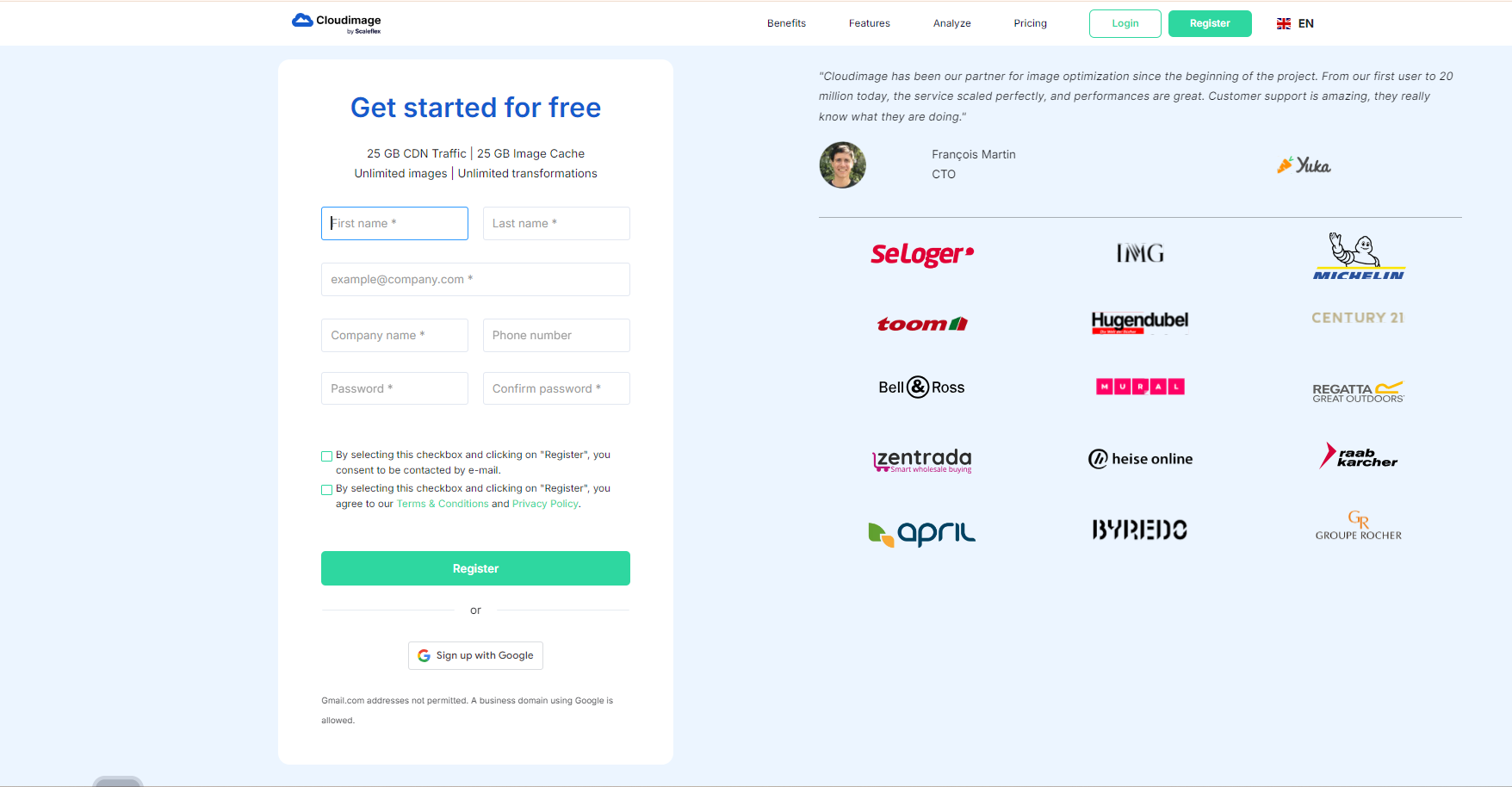
Create an account if you have not registered already. You can create an account on the [Cloudimage registration page](https://www.cloudimage.io/registration).\
### Step 1. Install the plugin
#### Log in to your Wordpress admin panel
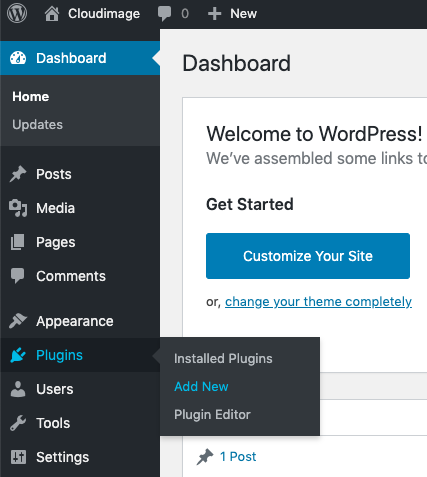
#### In the Admin sidebar, navigate to *Plugins / Add New*
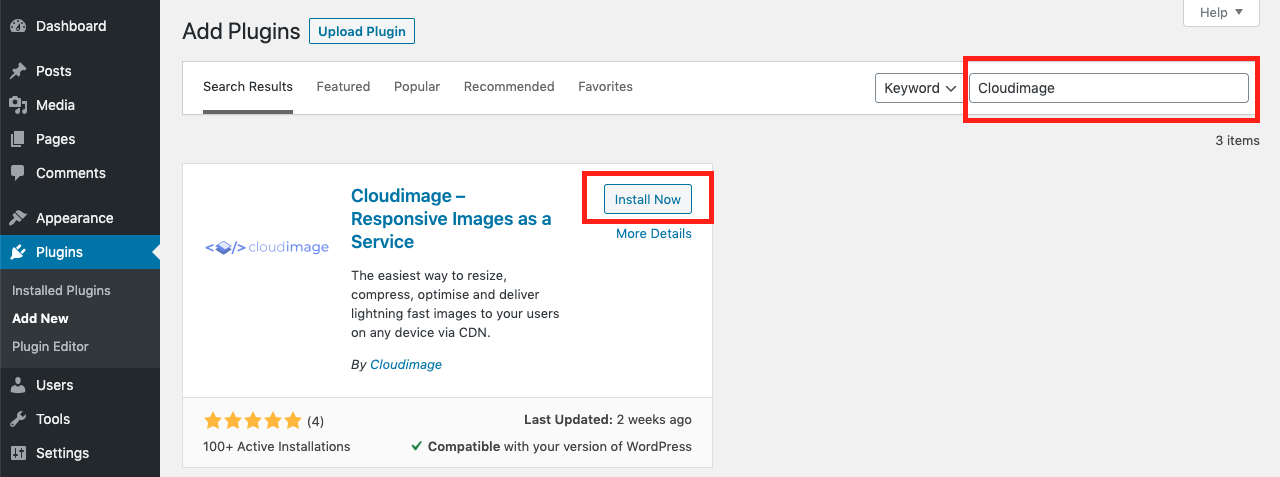
#### Search for "Cloudimage" in the search field and then install our plugin
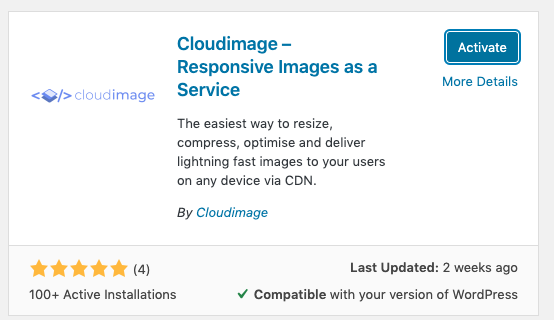
### Step 2. Activate the installed plugin
### Configure the plugin
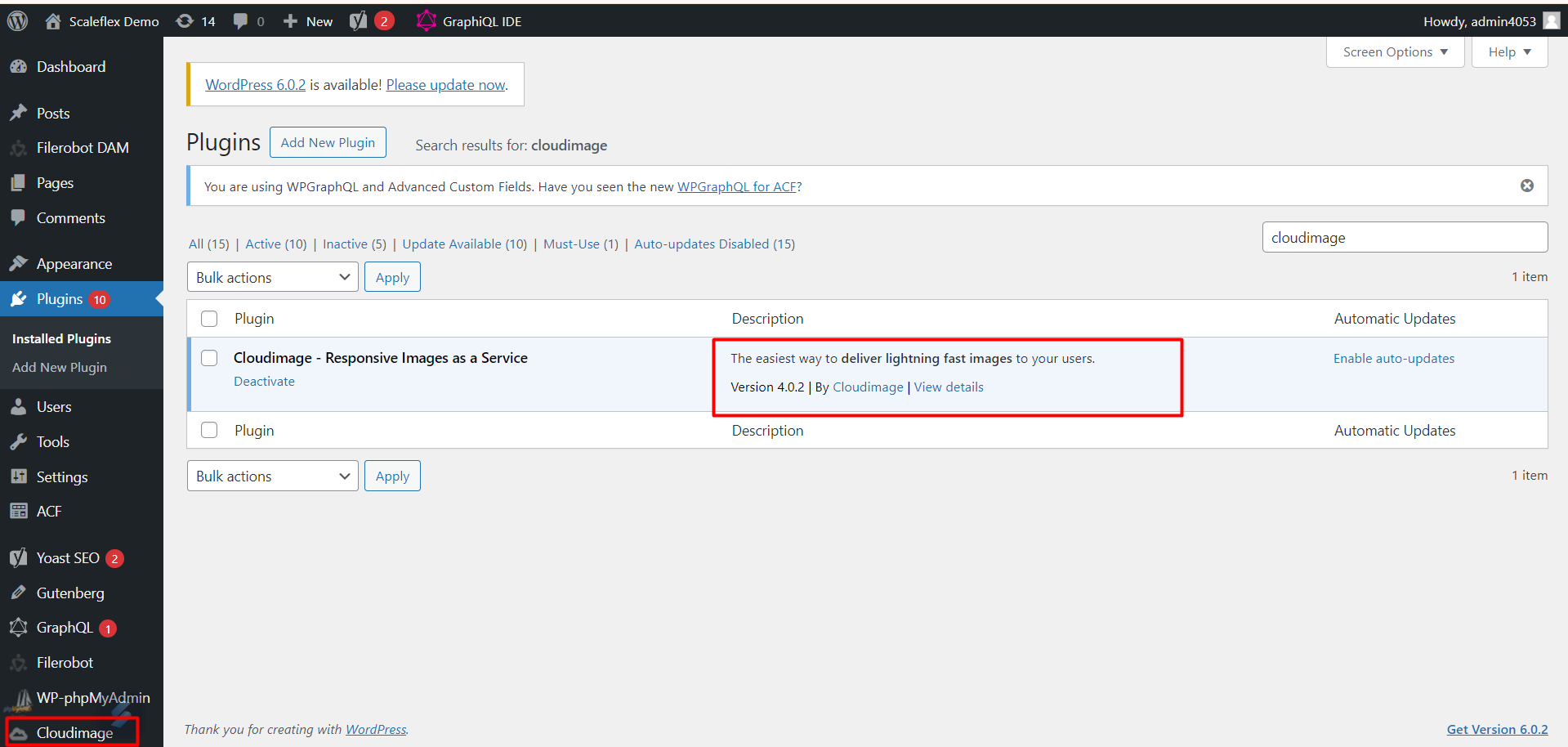
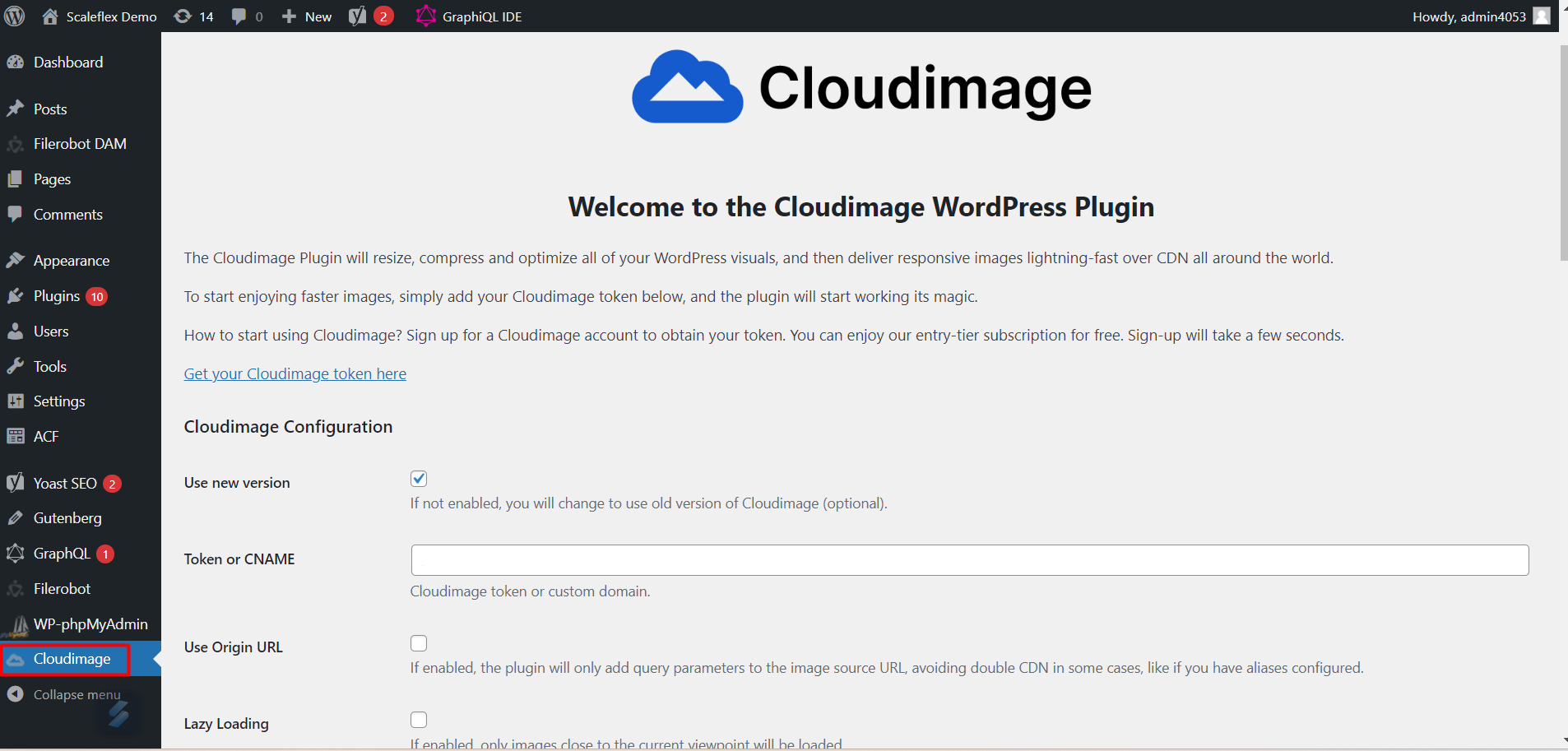
#### Navigate to the Cloudimage admin page
You need to enter your Cloudimage account token which you have received upon account creation (step 1).\
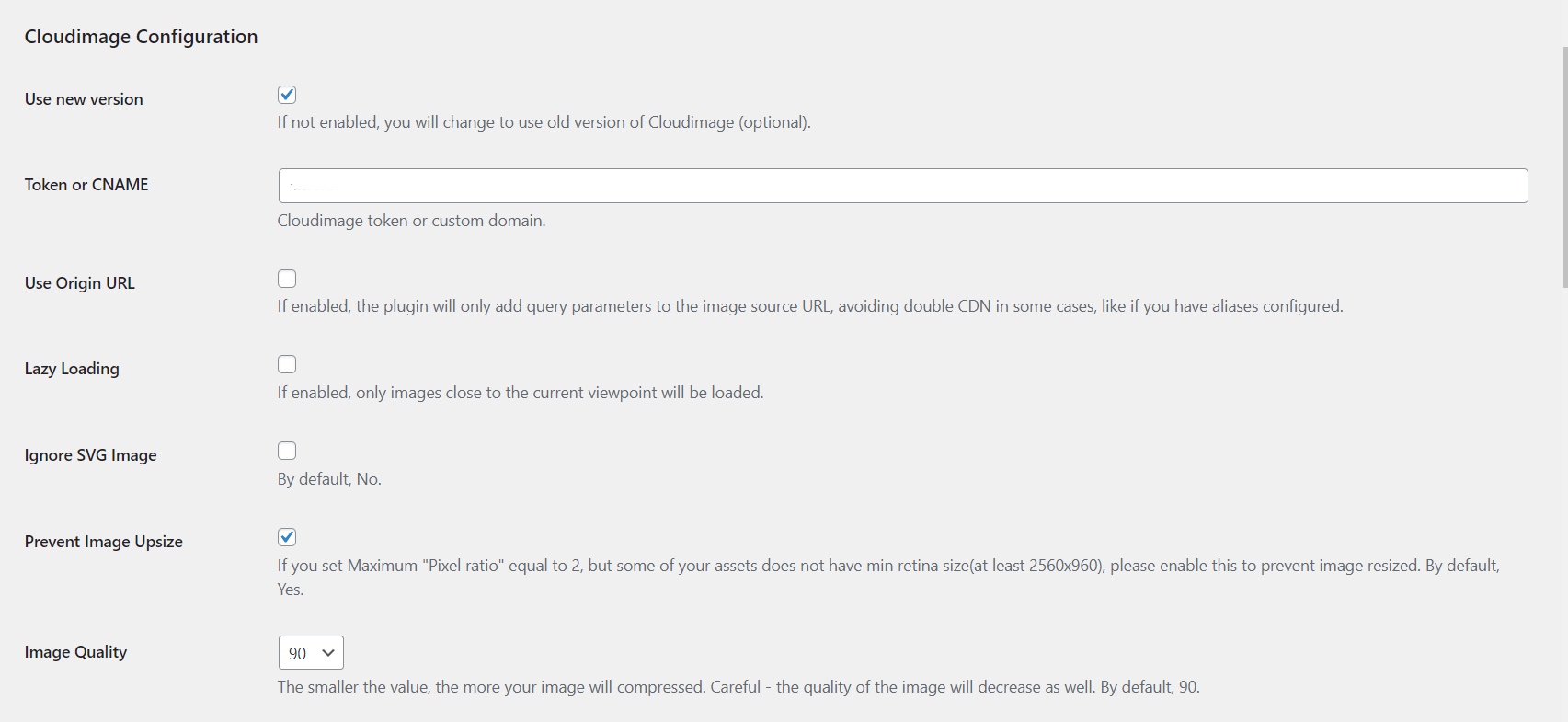
#### Configration options
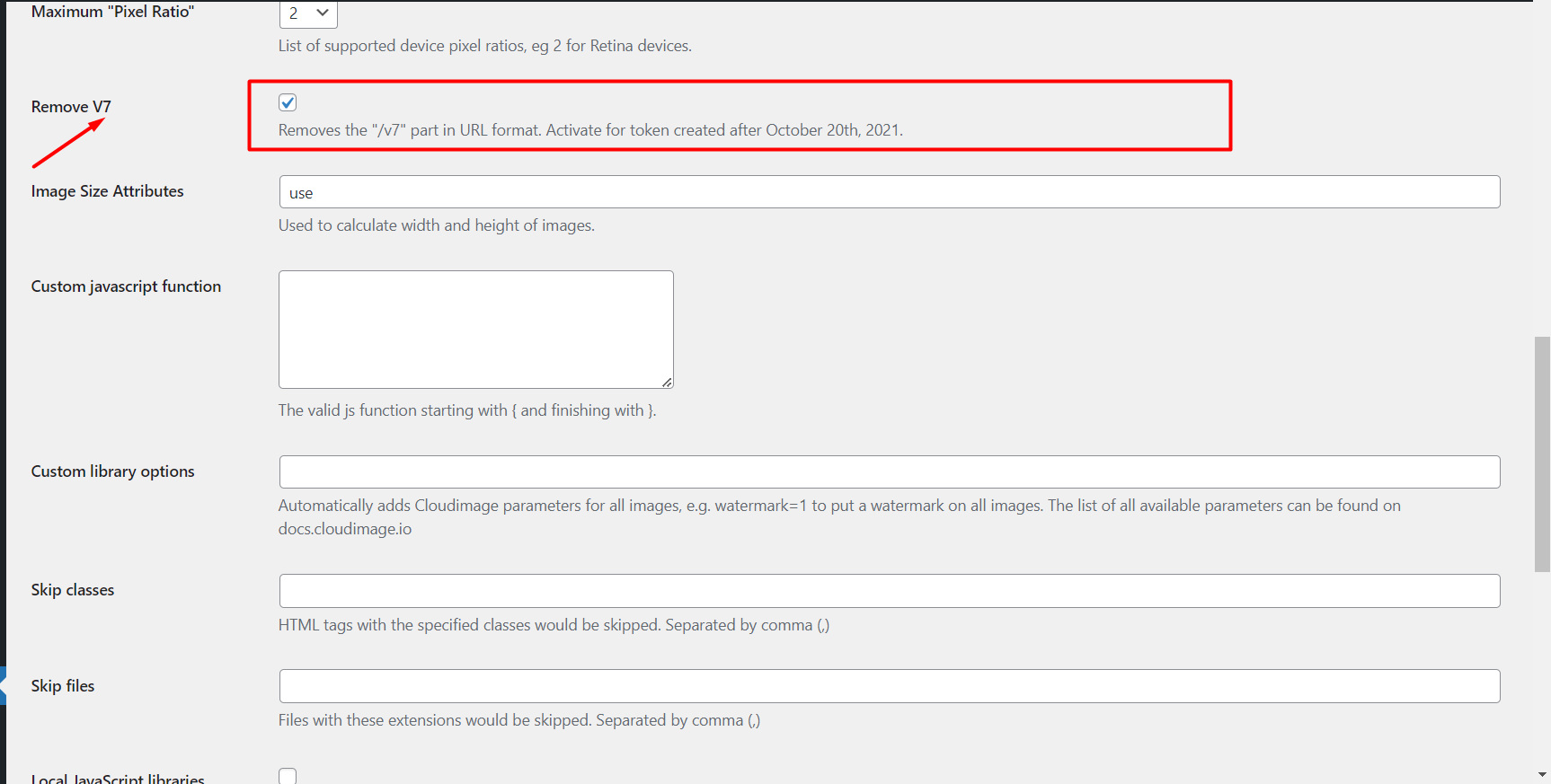
The v7 option\
* Some tokens are associated with a v7 URL, while others are not.
* But not to worry, this plugin automatically checks and sets it for you, all within a few seconds.
* Eg: If you enter a v7 token into the text input field, then a few seconds later, the v7 dial will automatically turn itself on.
* Please be patient and wait for the “The v7 checking process …” message to disappear, before pressing the “SAVE ALL CHANGES“ button.
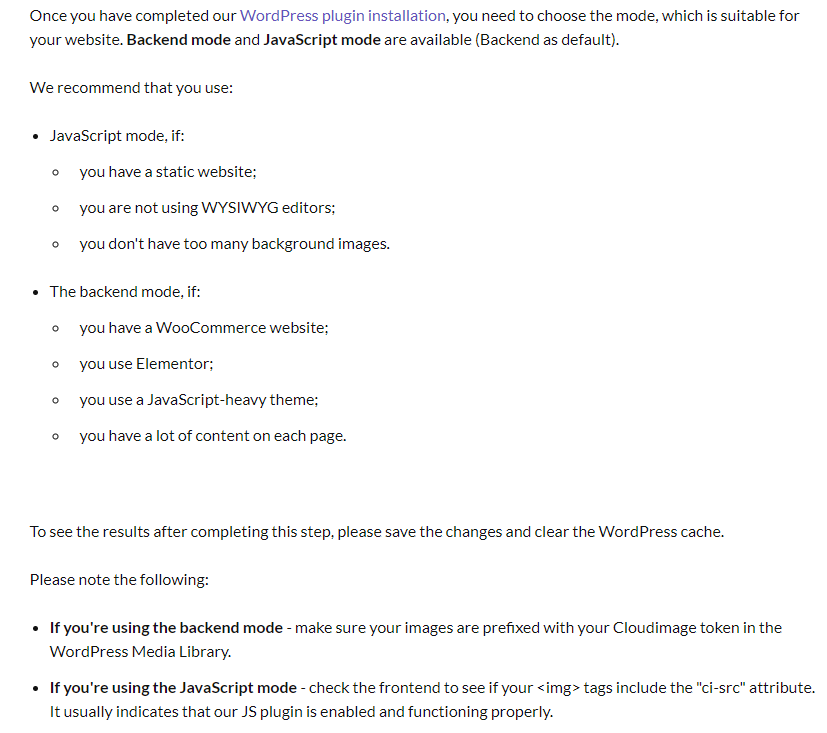
### The JS Mode option
#### Without Cloudimage
Your image URL will be like this:
```html
```
#### With Cloudimage
```html
```
* Notice that the URLs has been appended with `https://token.cloudimg.io/` to ensure CDN delivery and optimization of images.
#### With Cloudimage and its JavaScript Mode turned on
```html
```
With JS Mode turned on, Cloudimage will:
* the `ci-src`() attribute will be added into the`img`element, which will
* generate `data-srcset`
* set resize
* lazy loading
#### With JS Mode off and these `srcset`standard settings
```
theme-light
```
* Notice the 666 in the `srcset`
#### When to use JS Mode and when it’s better not used
### The login option
With this turned on, Cloudimage will only take effect when the user is logged in
### Localhost
Please note that Cloudimage will not take effect on localhosts
### Advanced Configuration
#### Global
**Disable image downsize filter**
ON: disable WordPress’s default image-cropping functionality
#### Standard Mode
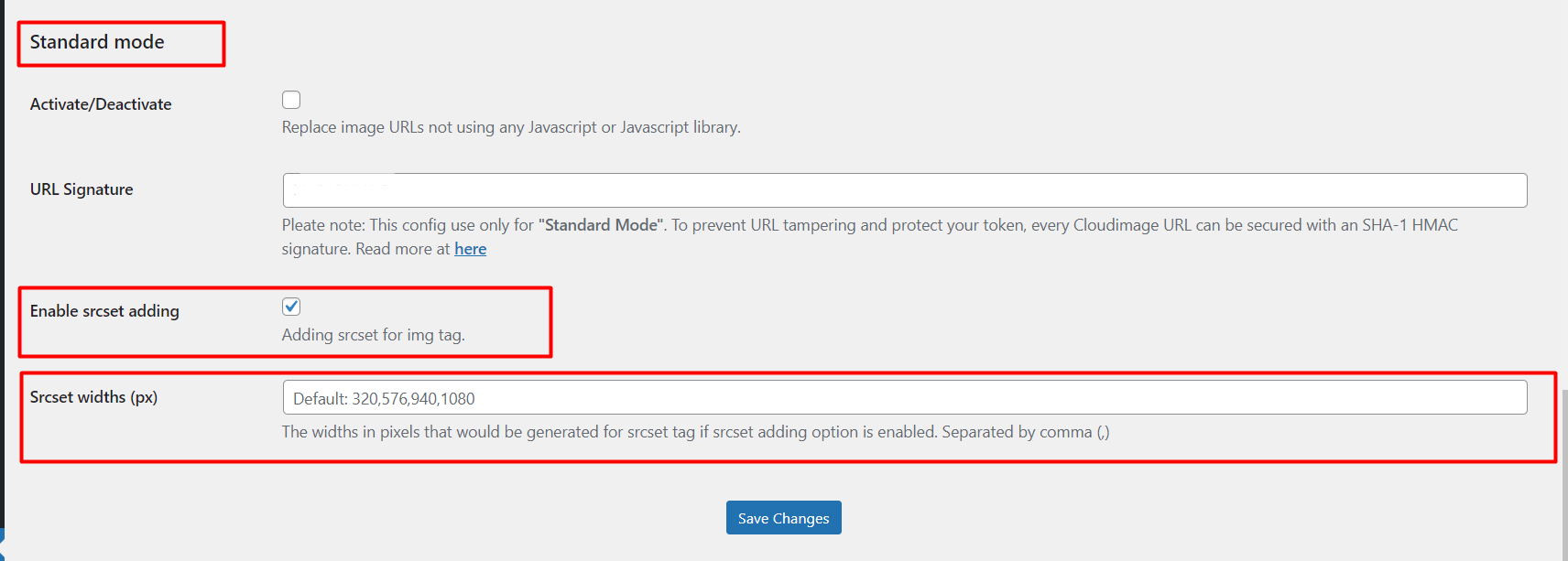
**Enable `srcset` adding**
If this is turned off, then “Srcset widths“ will have no effect.
#### `srcset` widths (px)
Add more sizes to `srcset`
#### Replaceable text
**For example**\
Cloudimage URL: `token.cloudimg.io/mywebsite/wp-uploads/2020/image.png` Replaceable text: `wp-uploads/2020` Replacement text: `upload`
**Then** from frontend users will see the image URL as: `token.cloudimg.io/mywebsite/upload/image.png`
**But** we need to configure [Aliases](/setup/shortening-urls/aliases.md) in Cloudimage admin and set up the alias `upload` with value `wp-uploads/2020`
#### Replacement text
(See above)
### JavaScript mode
#### Skip classes
Exclude Cloudimage processing by class name
#### Skip files
Exclude Cloudimage processing by file type, eg “.gif“
#### Use WordPress filter method
OFF: use `ob_buffer` PHP function
ON: use `the_content` filter from WordPress.
#### Local JavaScript libraries
ON: use Cloudimage JS files from CDN
OFF: use Cloudimage JS files from plugin locally
#### Ignore image node size
Can become helpful to turn on when using non-standard WordPress themes. Especially for badly-made themes, to compensate for some adverse impact on images.
#### Save image node ratio
Enable **Save Image Node Ratio** to preserve the aspect ratio.
Turn on **Ignore Image Node Size** to bypass the incorrect `width` and `height` attributes.
#### Destroy node image size
Optionally, use **Destroy Node Image Size** if you want to completely remove size attributes from the image tags.
#### Detect image node css
Use **Detect Image Node CSS** if the theme's CSS is involved in setting these incorrect sizes.
#### Process only width
This setting ensures that only the width is considered for image processing, and the height is adjusted proportionally to maintain the aspect ratio.
#### Disable `setTimeout` checks
Better to turn this on when there are AJAX loaded images, so that the late-loaded images don’t miss out on Cloudimage processing
 ```
#### With Cloudimage
```html
```
#### With Cloudimage
```html
 ```
* Notice that the URLs has been appended with `https://token.cloudimg.io/` to ensure CDN delivery and optimization of images.
#### With Cloudimage and its JavaScript Mode turned on
```
* Notice that the URLs has been appended with `https://token.cloudimg.io/` to ensure CDN delivery and optimization of images.
#### With Cloudimage and its JavaScript Mode turned on

 ```
With JS Mode turned on, Cloudimage will:
* the `ci-src`(
```
With JS Mode turned on, Cloudimage will:
* the `ci-src`(