# Contentful

## Installation <a href="#od_4941c597" id="od_4941c597"></a>

### Prerequisites <a href="#od_4941c597" id="od_4941c597"></a>

You need to have a Contentful account. Contentful is 100% Cloud Native, so you have to sign up for a hosted CMS at [https://be.contentful.com](https://be.contentful.com/)

You’ll get :

```
https://app.contentful.com/spaces/{Your Space ID}/home
```

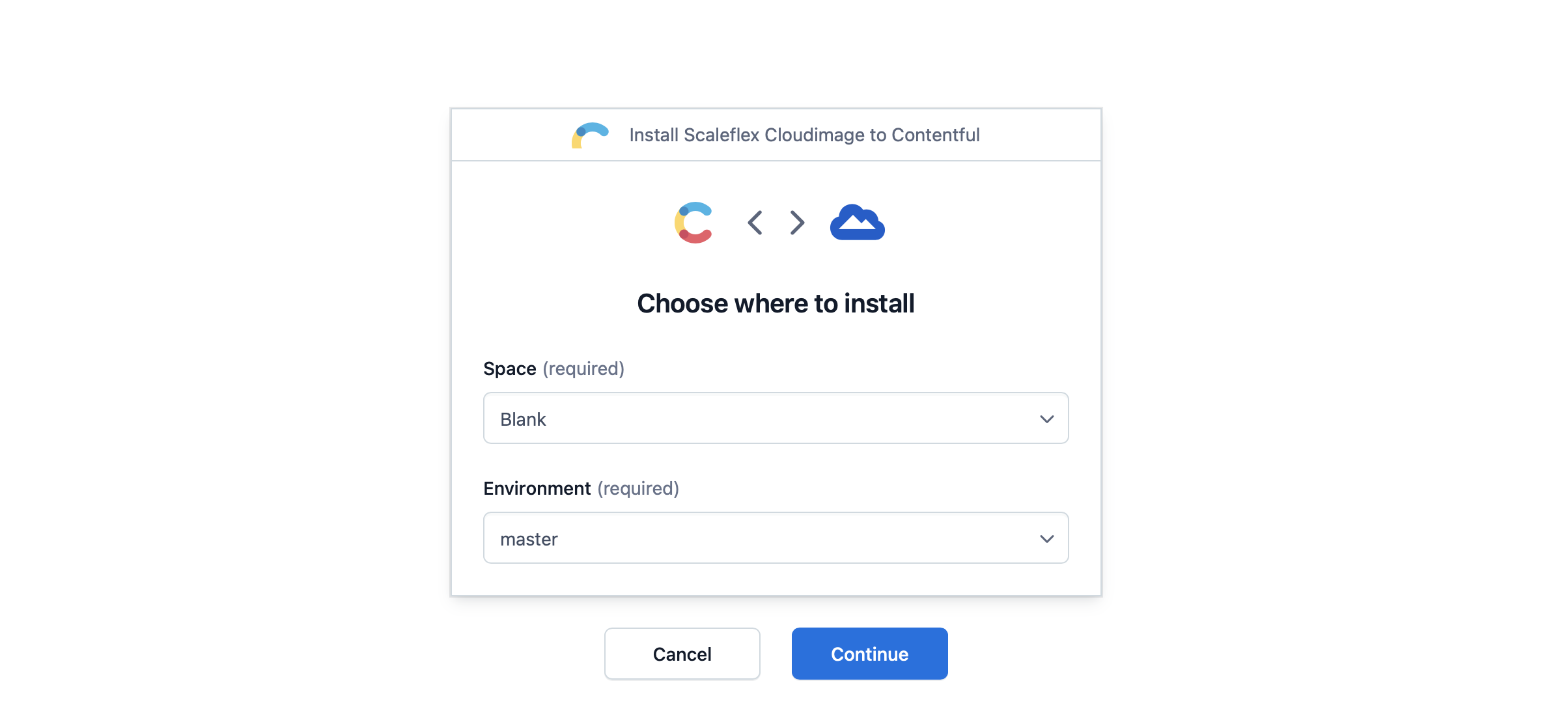
### Step 1. Install from Contentful Marketplace <a href="#od_e13c6c61" id="od_e13c6c61"></a>

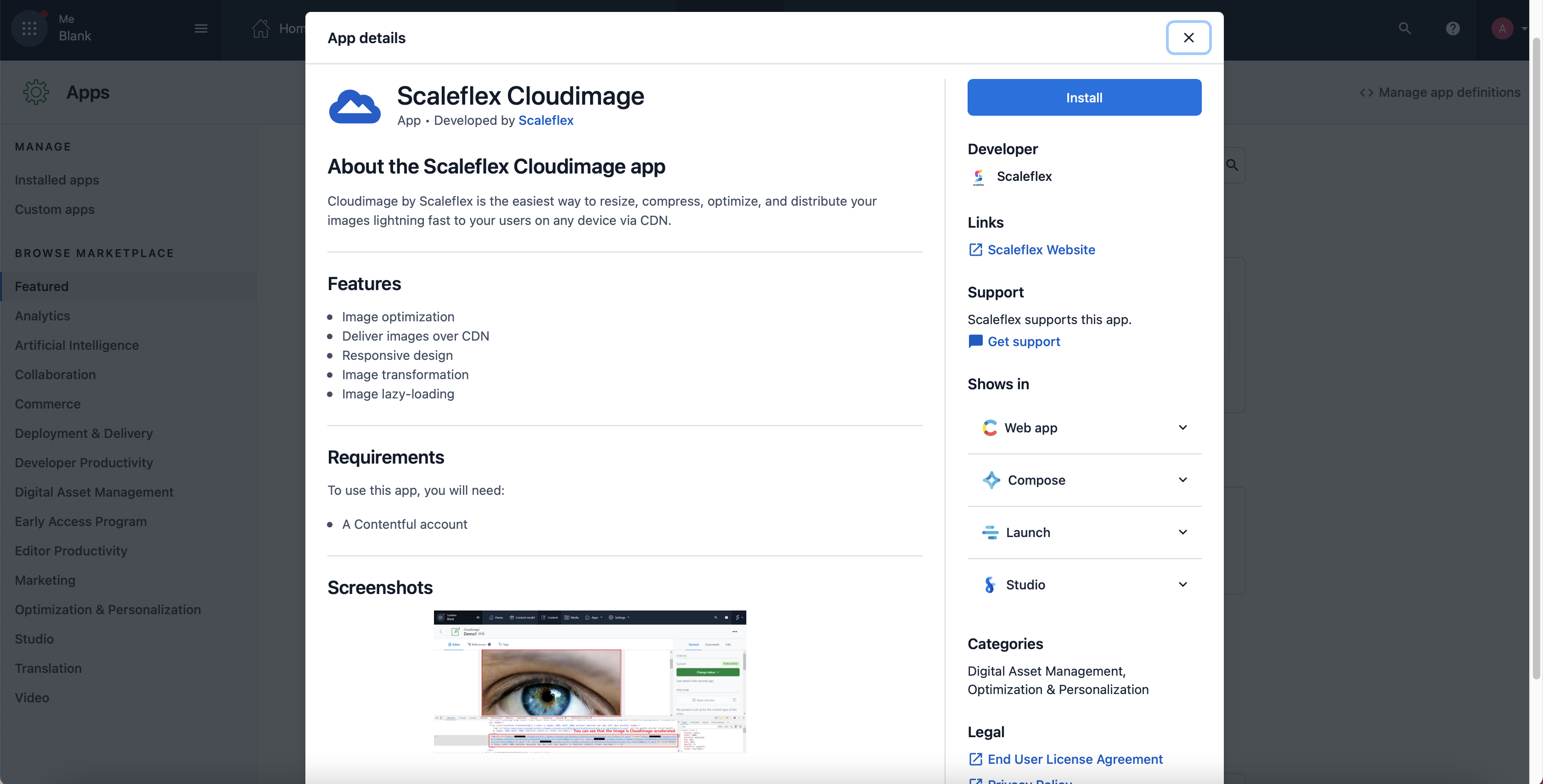
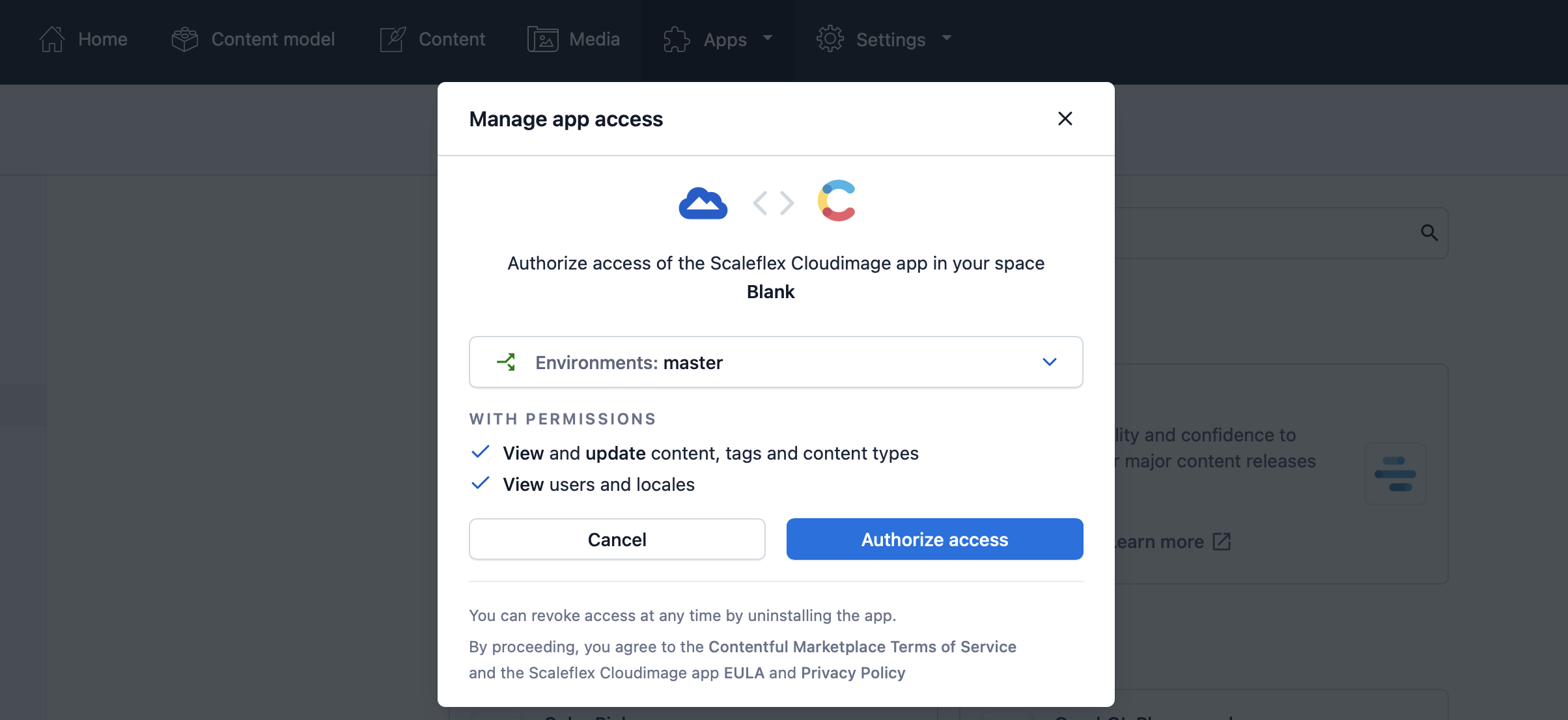
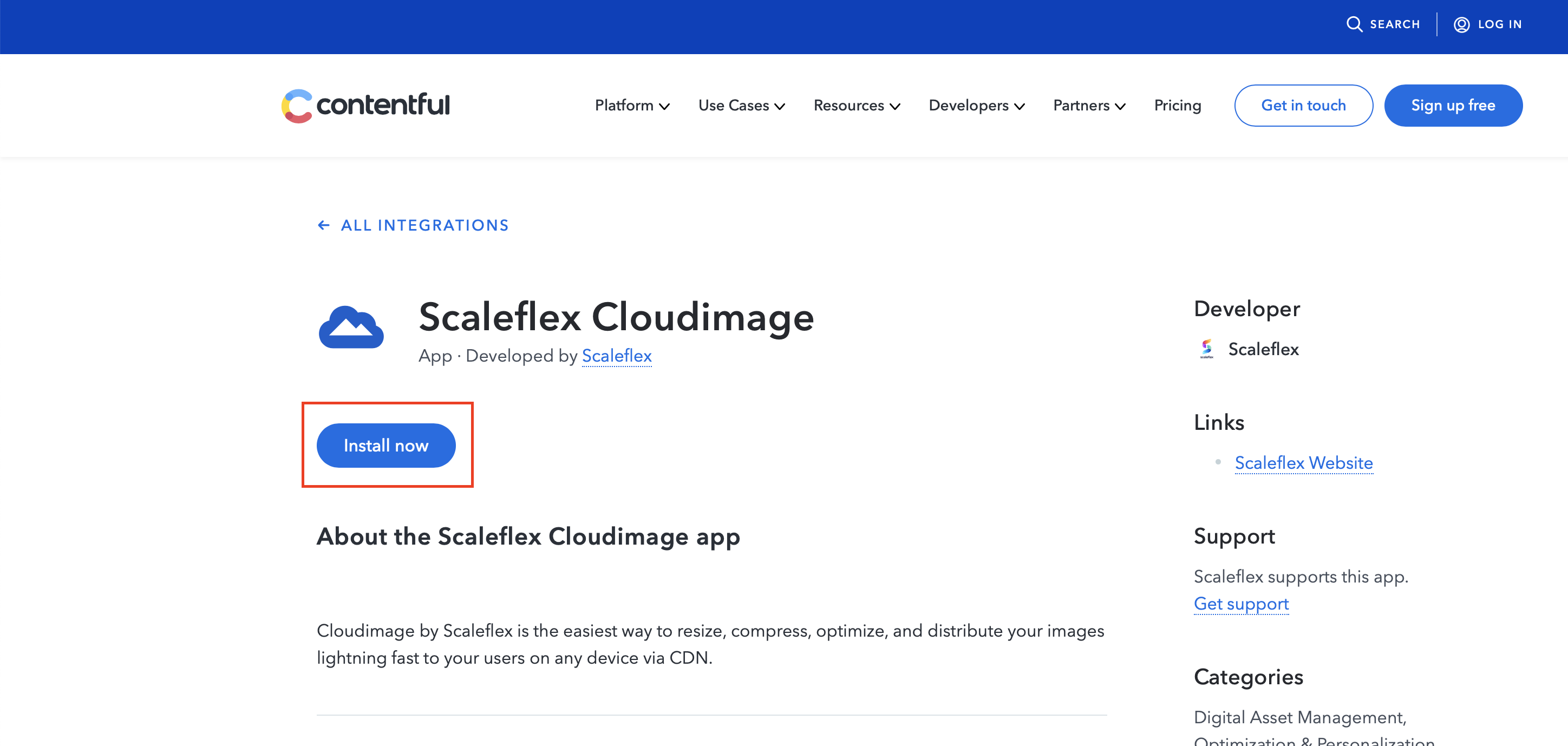
Find it here <https://www.contentful.com/marketplace/> and install it.

Or click "Install now" on <https://www.contentful.com/marketplace/app/scaleflex-cloudimage/>

<figure><img src="https://content.gitbook.com/content/IDIcmPiz7q6Sr6ZHHQxV/blobs/81YT7SBlTgOBG9vkKnqW/f1.png" alt=""><figcaption></figcaption></figure>

<figure><img src="https://content.gitbook.com/content/IDIcmPiz7q6Sr6ZHHQxV/blobs/ygBemZF2ILeabVIahW67/f2.png" alt=""><figcaption></figcaption></figure>

<figure><img src="https://content.gitbook.com/content/IDIcmPiz7q6Sr6ZHHQxV/blobs/iMzzDGEIJblTCfkXw5ty/f3.png" alt=""><figcaption></figcaption></figure>

<figure><img src="https://content.gitbook.com/content/IDIcmPiz7q6Sr6ZHHQxV/blobs/0pUdEzPb76AwwCiMZFh2/f4.png" alt=""><figcaption></figcaption></figure>

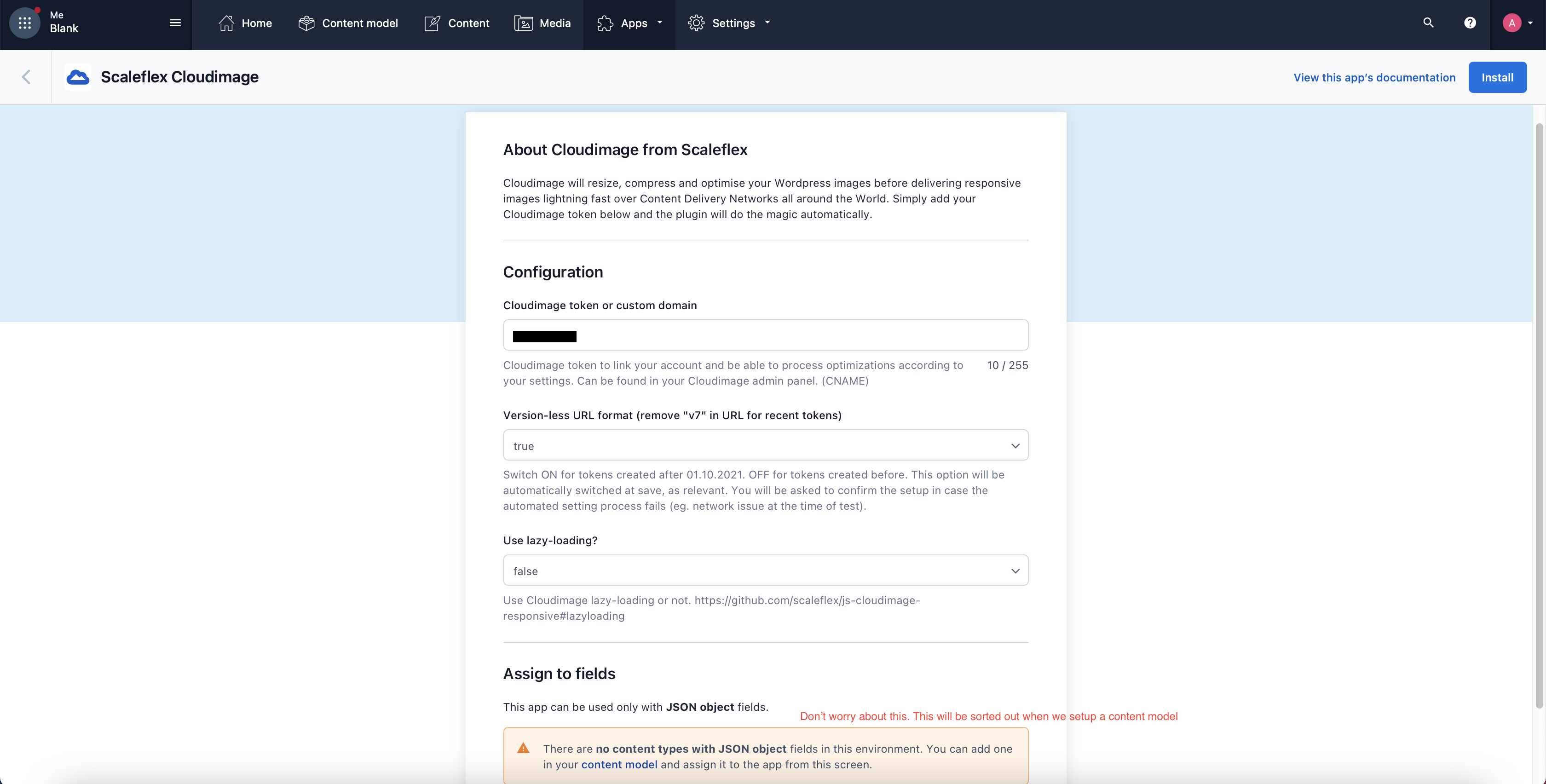
### Step 2. Configure App <a href="#od_b9b03603" id="od_b9b03603"></a>

<figure><img src="https://content.gitbook.com/content/IDIcmPiz7q6Sr6ZHHQxV/blobs/047zl33ai3WQRvwgl6D6/f5.png" alt=""><figcaption></figcaption></figure>

Then save and install.

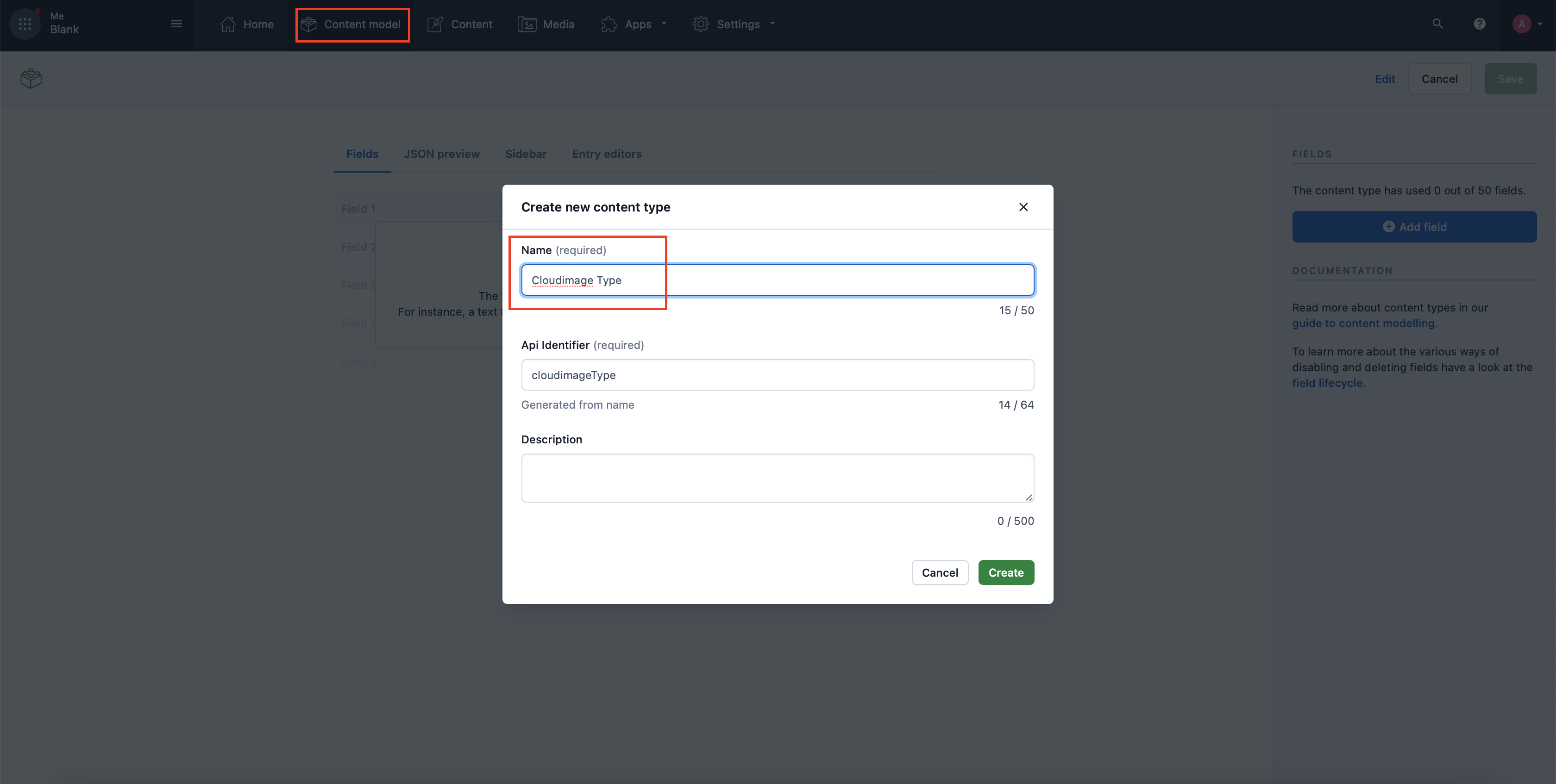
### Step 3. Create Content Type <a href="#od_7908ee08" id="od_7908ee08"></a>

<figure><img src="https://content.gitbook.com/content/IDIcmPiz7q6Sr6ZHHQxV/blobs/qRnzd4jsqOComJqd6XX3/f6.png" alt=""><figcaption></figcaption></figure>

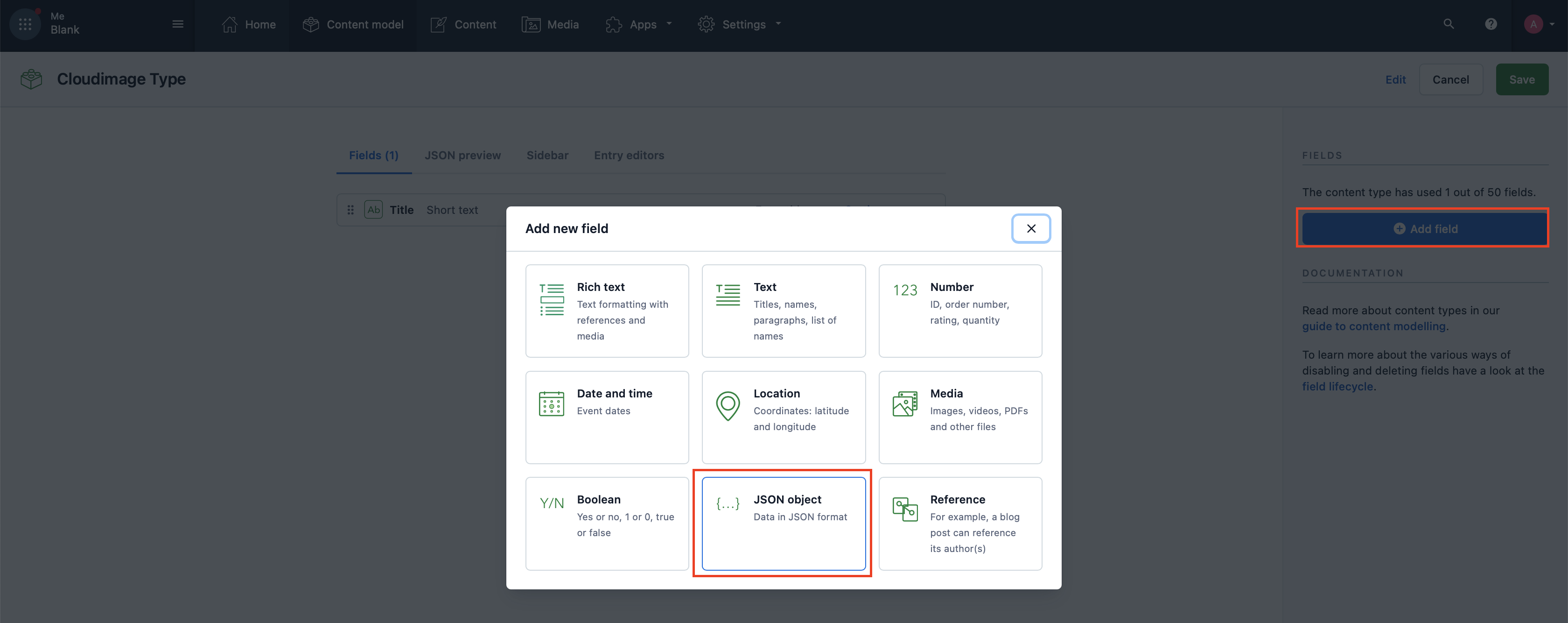
<figure><img src="https://content.gitbook.com/content/IDIcmPiz7q6Sr6ZHHQxV/blobs/Sqwm3hZwpNb7LlVo76f8/f7.png" alt=""><figcaption></figcaption></figure>

<figure><img src="https://content.gitbook.com/content/IDIcmPiz7q6Sr6ZHHQxV/blobs/mYsJXsNqSslOaHm3bhFy/f8.png" alt=""><figcaption></figcaption></figure>

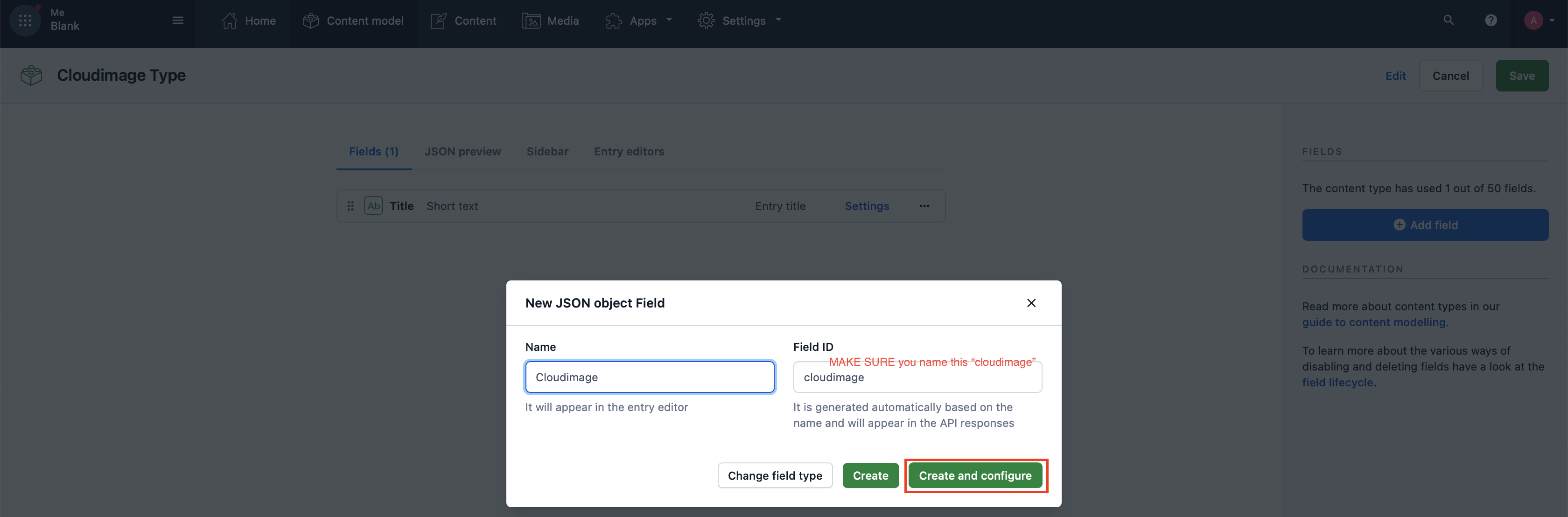
**Absolutely important: The Field ID must be "cloudimage".**

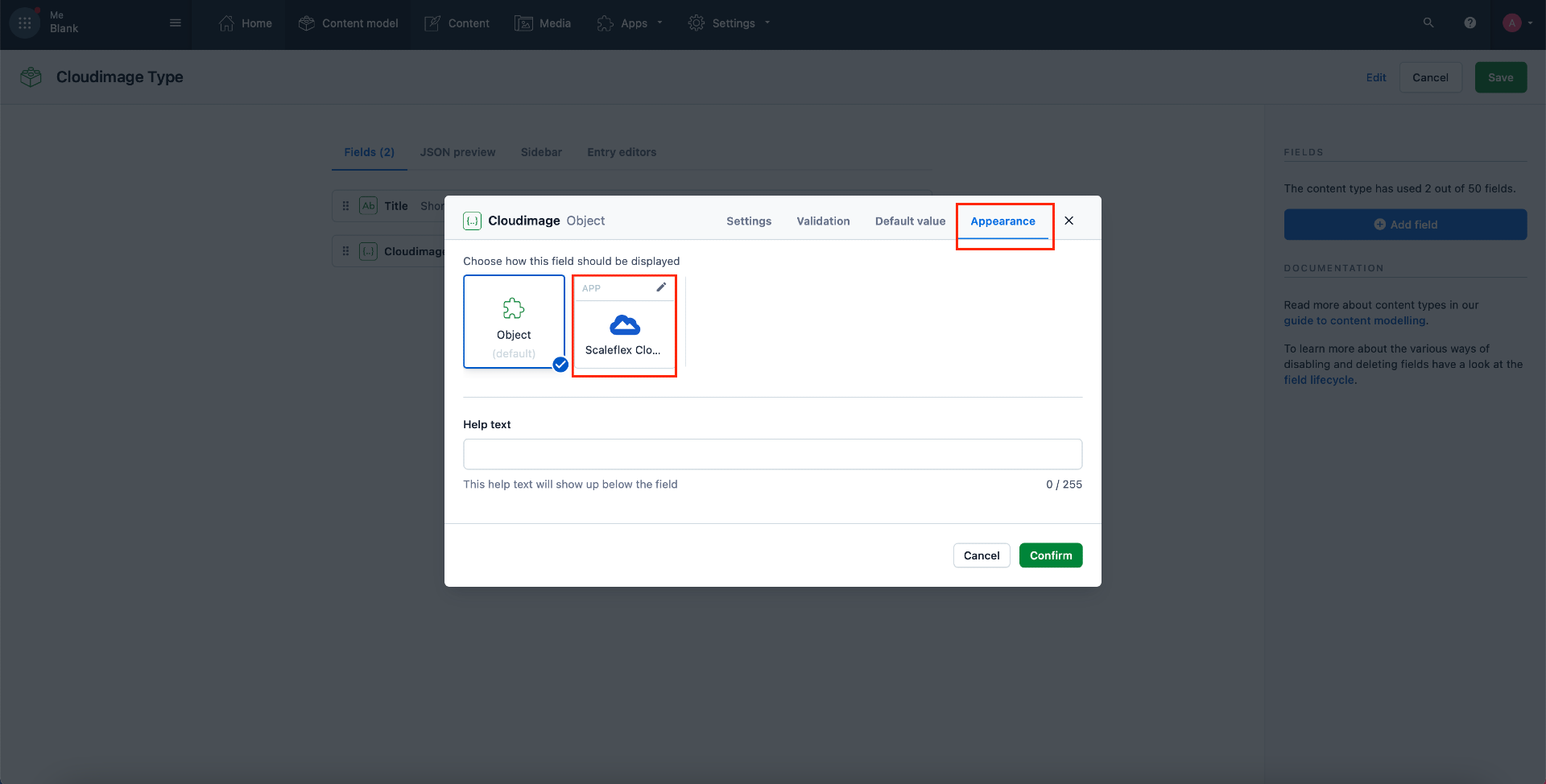
<figure><img src="https://content.gitbook.com/content/IDIcmPiz7q6Sr6ZHHQxV/blobs/p524YvFVEbGATntI0sTn/f9.png" alt=""><figcaption></figcaption></figure>

By doing the above, you will associate the Cloudimage field (the field that you named Cloudimage) to the Cloudimage App. Recall the warning message you saw during the app configuration stage "There are no content types with ..."? By doing the above, that will no longer be an issue.

## Usage <a href="#od_7908ee08" id="od_7908ee08"></a>

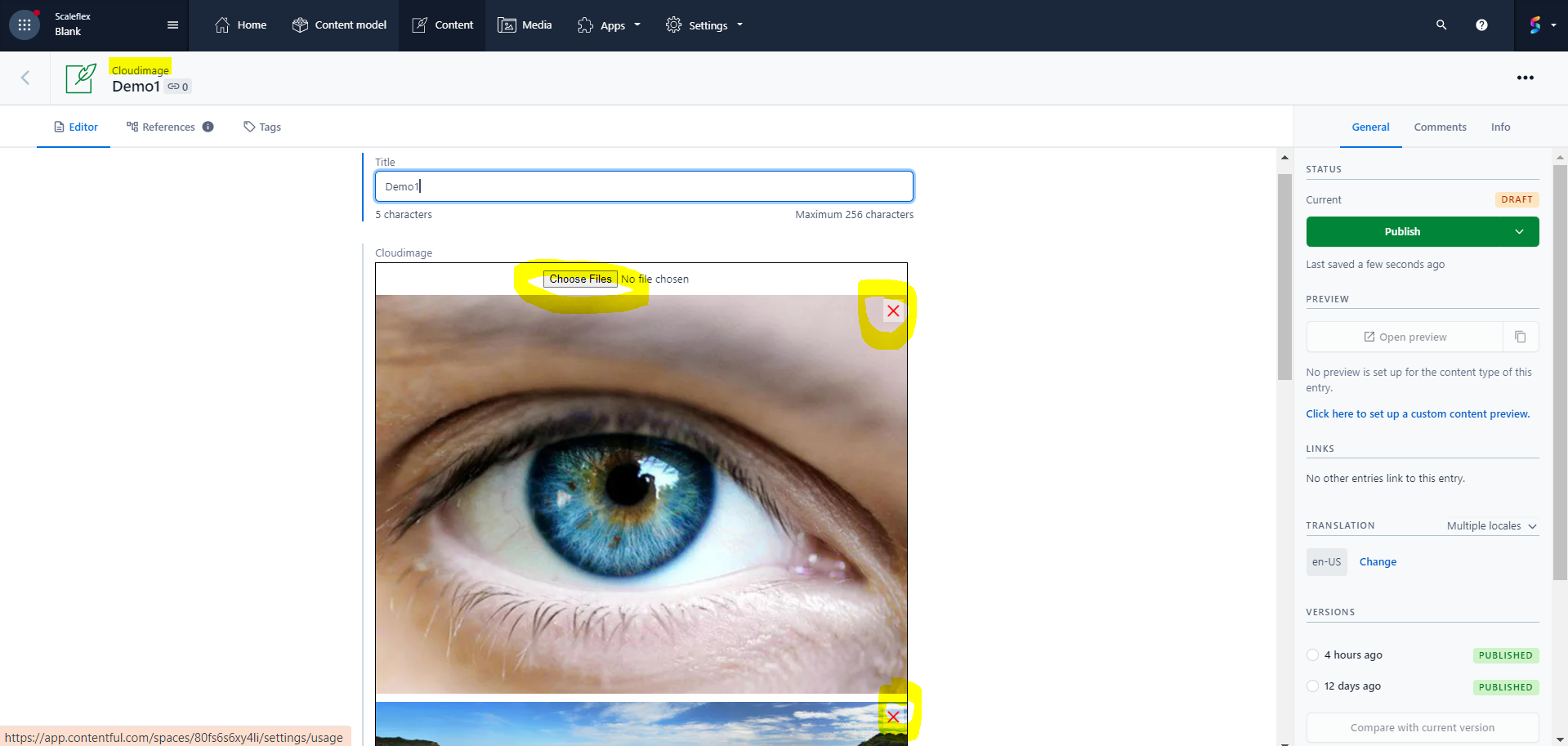
Now you can create a content item of Cloudimage type.

You can add and remove images.

<figure><img src="https://content.gitbook.com/content/IDIcmPiz7q6Sr6ZHHQxV/blobs/tMfB0A9jrlx2PxoRXyj6/f10.png" alt=""><figcaption></figcaption></figure>

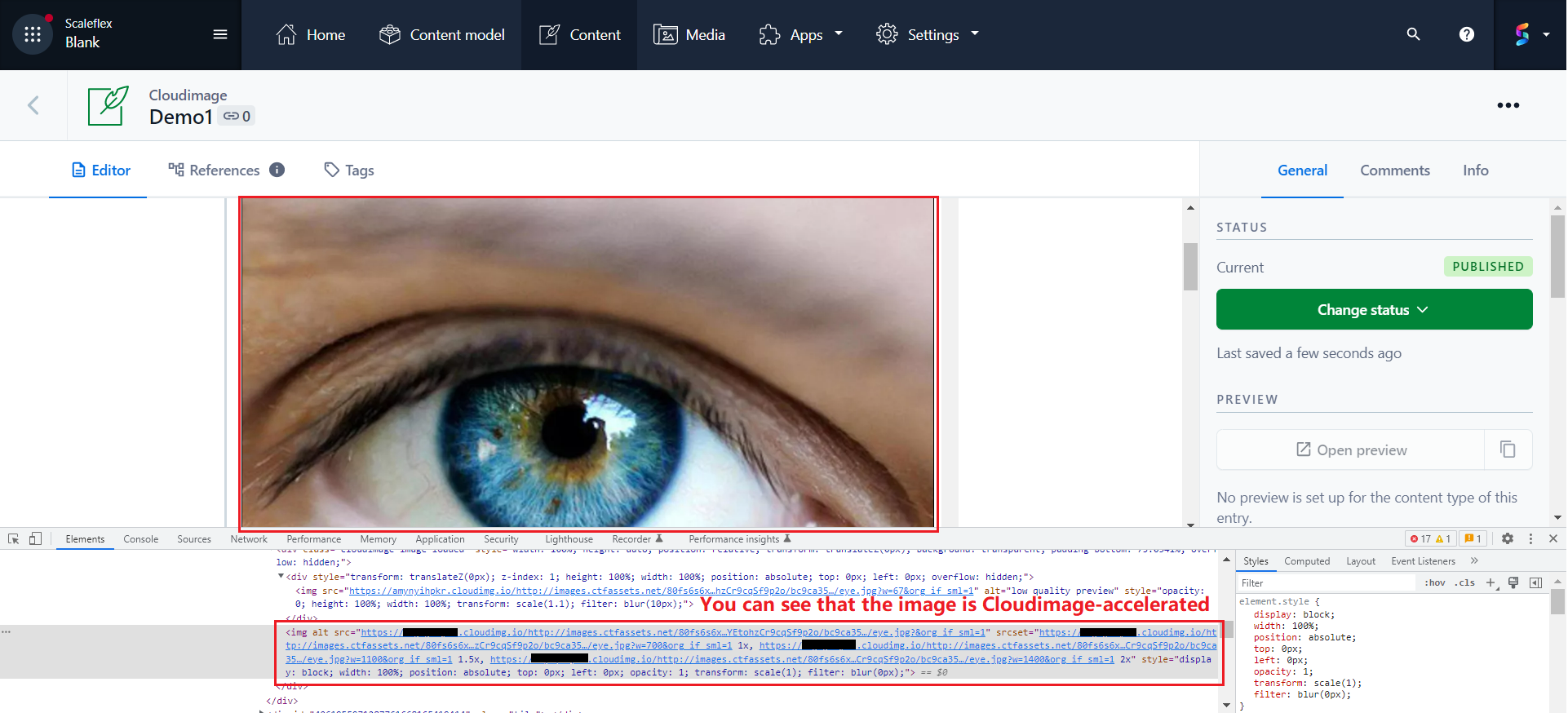
Cloudimage will optimize those images in the background. (If you inspect in developer console, you will see the call to its infrastructure)
<figure><img src="https://content.gitbook.com/content/IDIcmPiz7q6Sr6ZHHQxV/blobs/N9EROhKjtS8eK2mSWNlJ/f11.png" alt=""><figcaption></figcaption></figure>